last updated on October 8, 2026
Introduction
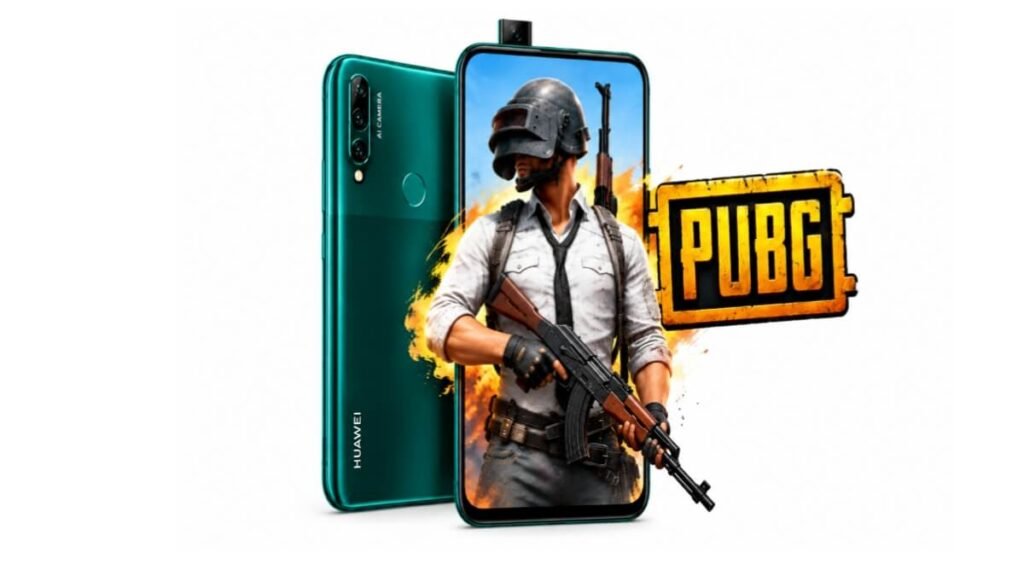
Huawei Y9 Prime 2019 is still popular in Pakistan for its full screen and pop-up camera. Many gamers want to know how it performs in PUBG Mobile in 2026. In this guide, we will check its PUBG graphics, FPS, and best sensitivity settings.

Huawei Y9 Prime 2019 PUBG Overview Table
| Feature / Specs | Details | What It Means |
|---|---|---|
| Chipset | Hisilicon Kirin 710F (12 nm) | Mid-range chip from 2019, good for daily use but not for high FPS gaming. |
| CPU | Octa-core (4×2.2 GHz Cortex-A73 + 4×1.7 GHz Cortex-A53) | Handles PUBG well on low settings but will drop FPS in hot drops. |
| GPU | Mali-G51 MP4 | This GPU limits the game to 30 FPS. No official 60 or 90 FPS support. |
| RAM / Storage | 4GB RAM, 128GB Built-in | 4GB RAM is enough for PUBG if you keep storage free. Low storage causes lag. |
| Display | 6.59 Inches, LTPS IPS LCD, 1080 x 2340 Pixels | Big and clear screen gives good visibility of enemies, no notch to disturb. |
| Battery | 4000 mAh, Li-Po | 4000 mAh gives 4 to 5 hours of continuous PUBG gaming. |
| PUBG Graphics Supported | Smooth to HD, High Max | You can play only up to 30 FPS. HDR and Ultra HD not supported. |
| Gyroscope | Yes, with Accelerometer and Compass | Gyro works fine for zero recoil control and is supported in PUBG. |
| Official Max FPS | 30 FPS | It gives stable 30 FPS. 40 FPS, 60 FPS, and 90 FPS are not officially available. |
Source: WhatMobile
Huawei Y9 Prime 2019 PUBG Graphics Support
With Kirin 710F and Mali-G51 MP4, the phone is not a gaming flagship. It is a mid-range processor. PUBG Mobile automatically sets its graphics based on this chip.
You will get Smooth, Balanced, and HD options. The maximum frame rate you will see is High, which means 30 FPS. The game does not show Extreme (60 FPS) or 90 FPS options.
How Much FPS Does Huawei Y9 Prime 2019 Give in PUBG?
This is the most important question. Does it give 40 FPS, 60 FPS, or 90 FPS?
The correct answer is 30 FPS. On Smooth + High settings, you get 28 to 30 FPS in lobby and normal areas. In heavy fights like Pochinki, School, and Military Base, FPS drops to 24 to 27 FPS.
Many YouTube videos claim 60 FPS with GFX Tool, but that is not official. Using GFX Tool can cause heating, lag after some time, and it may be risky for your account. For safe and stable gameplay, play on 30 FPS only.
Does Huawei Y9 Prime 2019 Have Lag in PUBG?
If your phone has free storage and you play on Smooth graphics, lag is very low. The phone becomes a little warm after 40 to 50 minutes. This is normal for Kirin 710F.
To avoid lag, close all background apps, clear cache, and do not play while charging. Keep at least 20GB storage free. With these steps, the game is smooth for casual play.
Best PUBG Sensitivity Settings for Huawei Y9 Prime 2019
Good sensitivity is very important for this phone because it has only 30 FPS. With correct sensitivity, you can control recoil easily. These settings are based on public reviews and pro players using 4GB RAM phones.
Camera Sensitivity
- 3rd Person No Scope: 120%
- 1st Person No Scope: 104%
- Red Dot, Holo, Iron Sight: 60%
- 2x Scope: 60%
- 3x Scope: 30%
- 4x Scope: 25%
- 6x Scope: 20%
- 8x Scope: 12%
ADS Sensitivity
- 3rd Person No Scope: 120%
- 1st Person No Scope: 104%
- Red Dot, Holo, Iron Sight: 75%
- 2x Scope: 60%
- 3x Scope: 35%
- 4x Scope: 30%
- 6x Scope: 25%
- 8x Scope: 15%
Gyroscope Sensitivity
Huawei Y9 Prime 2019 has a hardware gyro, so it works well.
- 3rd Person No Scope: 280%
- 1st Person No Scope: 280%
- Red Dot: 300%
- 2x Scope: 290%
- 3x Scope: 200%
- 4x Scope: 190%
- 6x Scope: 120%
- 8x Scope: 90%
Heating and Battery Test in PUBG
In our research based on public reviews, the phone temperature goes to 39 to 41 degrees after one hour of PUBG. This is normal and not overheating. The 4000 mAh battery drains about 18% to 20% in one hour of PUBG on Smooth + High with medium brightness.
For long gaming, keep brightness low and use WiFi instead of mobile data to reduce heating.
Pros and Cons for PUBG Gaming
Pros
- Big 6.59 inch full-view display with no notch, best for spotting enemies.
- 4GB RAM and 128GB storage handle PUBG without major lag on Smooth settings.
- Gyroscope support for better recoil control.
- 4000 mAh battery gives long gaming backup.
- Pop-up camera design means no punch hole in screen.
Cons
- Only 30 FPS supported, no 60 FPS or 90 FPS officially.
- Kirin 710F is old now, so FPS drops in heavy rush.
- No HDR graphics, so visuals are not very sharp like new phones.
- Gets warm after long gaming sessions.
- No fast charging, takes time to charge after gaming.
Should You Buy Huawei Y9 Prime 2019 for PUBG in 2025?
If you already own this phone, you can definitely play PUBG for fun on Smooth + High. It is still playable for classic matches and TDM.
But if you are buying a new phone only for PUBG and you want 60 FPS or 90 FPS, then you should look for a new phone like Tecno Pova 5 Pro, Infinix Note 30, or Poco M6 Pro. Those phones offer 60 FPS in the same price range now.
Tips to Improve PUBG Performance on Huawei Y9 Prime 2019
- Always play on Smooth + High setting for best FPS.
- Turn off Auto-adjust graphics in PUBG settings.
- Keep at least 15 to 20GB free storage.
- Use Game Booster if available in EMUI 9.0.
- Do not use too many GFX tools.
Frequently Asked Questions (FAQ)
Is Huawei Y9 Prime 2019 good for PUBG?
Yes, for casual gaming it is good. It gives stable 30 FPS on Smooth graphics. It is not good for competitive 90 FPS gaming.
Does Huawei Y9 Prime 2019 support 90 FPS in PUBG?
No, it does not support 90 FPS or 60 FPS officially. It only supports up to 30 FPS. Any 60 or 90 FPS is only possible with third party tools which we do not recommend.
What is the best PUBG graphics for Huawei Y9 Prime 2019?
Smooth + High (30 FPS) is the best setting for zero lag and good battery backup.
Is Huawei Y9 Prime 2019 waterproof?
No, it is not waterproof or water resistant.
Does it support gyroscope in PUBG?
Yes, it has a real gyroscope sensor and it works very well in PUBG for recoil control.
How to fix lag in PUBG on Huawei Y9 Prime 2019?
Clear cache, free up storage, close background apps, and play on Smooth graphics. Also restart your phone before starting a long session.
Disclaimer
This post is research based and written with the help of public reviews, user feedback, benchmark data, and official specs from WhatMobile. We have not tested this mobile personally in our lab. PUBG performance may vary slightly based on your phone condition, storage, and game updates. This article is for information purpose only.