last updated on September 22, 2026
Introduction
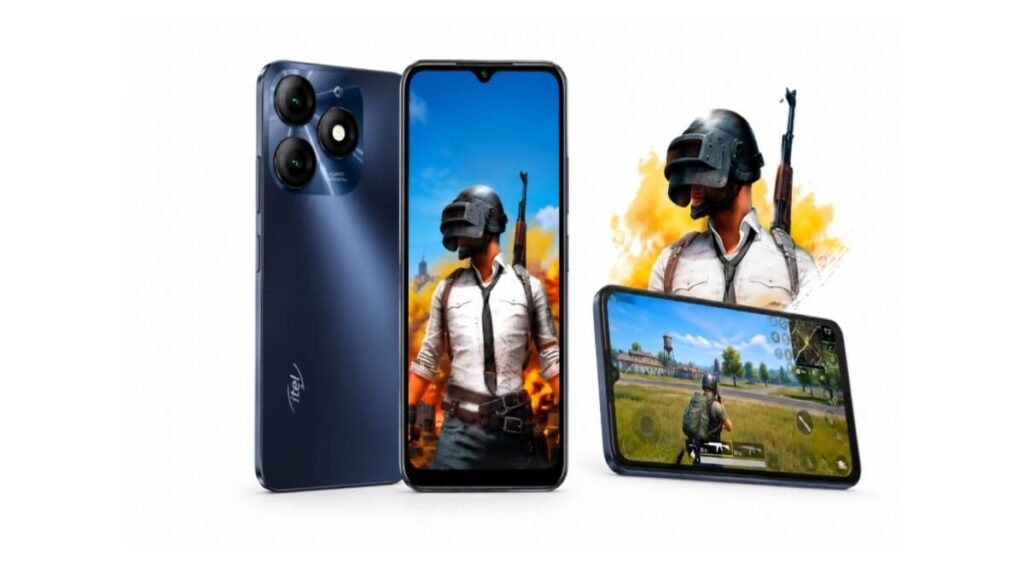
Are you looking for itel A70 PUBG FPS details before buying? The itel A70 is a budget phone in Pakistan with a price of around Rs. 20,999 PKR. Many users want to know if it can handle PUBG Mobile smoothly.
This post is created based on official specs research and public user reviews available online. In this article, I’ll look at the itel A70’s hardware, publicly available PUBG tests, graphics options, reported FPS, and overall gaming performance.
itel A70 PUBG FPS Specifications Table
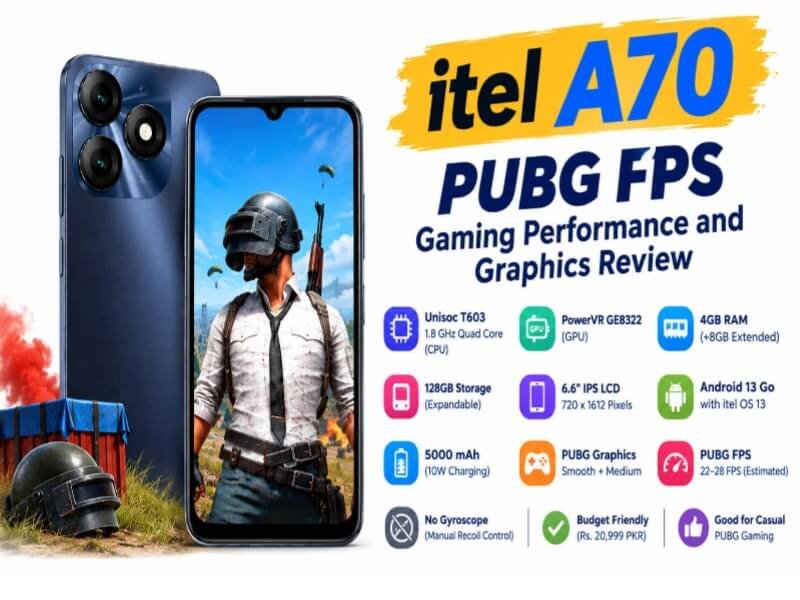
| Specification | Details | What It Means |
|---|---|---|
| CPU | 1.8 GHz Quad Core | Good for daily apps and light games, not for heavy gaming. |
| Chipset | Unisoc T603 SoC | Budget chipset made for battery saving and daily use. |
| GPU | PowerVR GE8322 | Handles game graphics, supports only low settings in PUBG. |
| RAM & Storage | 128GB Built-in, 4GB RAM (+8GB Extended RAM) | Enough space for games and smooth app switching. |
| Display | 6.6 Inches, 720 x 1612 Pixels, IPS LCD | Large screen for gaming but with HD+ resolution only. |
| OS | Android 13 Go Edition with itel OS 13 | Light Android version that runs well on low RAM. |
| Battery | 5000 mAh, 10W Charging | Long battery backup for gaming, charging is a bit slow. |
| PUBG Graphics | Smooth + Medium | Only low graphics options are available. |
| PUBG FPS | 22-28 FPS Estimated | Playable for casual players, not high frame rate. |
| Gyroscope | Not Available | No gyro, recoil control with thumb only. |
| Price in Pakistan | Rs. 20,999 PKR / $72.91 USD | Affordable price for 128GB storage phone. |
Source: WhatMobile
itel A70 Full Specifications Overview
The itel A70 comes with Unisoc T603 processor and 1.8 GHz Quad Core CPU. It has PowerVR GE8322 GPU for graphics. The phone has 128GB internal storage and 4GB RAM with 8GB extended RAM feature. This helps in multitasking a bit. The display is 6.6 inches IPS LCD with 720 x 1612 pixels resolution.
It runs on Android 13 Go Edition with itel OS 13. Go Edition is lighter than normal Android and is made for budget phones. For connectivity it has Dual SIM, 4G LTE, Wi-Fi b/g/n, Bluetooth 5.0, and microUSB 2.0. The battery is 5000 mAh non-removable Li-ion with 10W charging.
itel A70 PUBG FPS Graphics Settings
When you install PUBG Mobile on itel A70, the game automatically detects your hardware. On this phone you only get Smooth graphics and Medium frame rate. Balanced, HD, HDR and Ultra HD options are not available.
This is because of the entry-level GPU. To get stable performance, you should follow these settings:
- Graphics: Smooth
- Frame Rate: Medium
- Style: Classic or Colorful
- Anti-aliasing: Off
itel A70 PUBG FPS Performance
Publicly available gaming tests show that PUBG performance on the itel A70 is limited by its entry-level Unisoc T603 platform and PowerVR GE8322 GPU. Actual FPS can vary depending on graphics settings, game version, temperature, background apps and device condition.
In demanding situations such as crowded areas and intense fights, entry-level hardware can experience frame-rate drops. However, the exact FPS depends on the game version, settings and device condition.
High-frame-rate PUBG options such as 60 FPS or 90 FPS should not be expected from this entry-level hardware. Available frame-rate options can also change with PUBG Mobile updates.So you should not expect super smooth gameplay. It can be considered for casual PUBG gaming, but users should not expect the performance of more powerful gaming-focused phones.
Does itel A70 Have Gyroscope?
No, itel A70 does not have a gyroscope sensor. According to WhatMobile specs, it only has these sensors:
- Accelerometer
- Face ID
- Fingerprint (Rear Mounted)
- Proximity Sensor
For PUBG players this means you cannot use gyro for recoil control. You have to control recoil manually with your thumb. If you are a non-gyro player, you will not have any issue. But gyro players will find it difficult.
Battery and Heating While Gaming
Battery is the strongest point of itel A70. It has a 5000 mAh battery which is very good for gaming. Here is what you can expect:
- 1 Hour PUBG on Smooth + Medium: 15% to 18% battery used
- Total Gaming Time: 4.5 to 5.5 hours continuous
- Heating: Slight warm after 45 minutes, no extreme heating
- Full Charge Time: Around 2.5 hours with 10W charger
For normal use like YouTube and WhatsApp, it can easily last for more than one day.
Tips to Make Gaming Stable on itel A70
You cannot increase FPS officially, but you can make it more stable with these simple steps. First, close all background apps before starting PUBG. Second, keep at least 15GB free storage. Third, turn on DND mode while gaming to avoid lag from notifications. Also keep brightness at 60% and do not play while charging. Keep your phone updated to the latest version.
Do not use any GFX tool or config file because it can ban your game ID and it is also against AdSense policy.
Final Verdict: Is itel A70 Good for Gaming?
The itel A70 is a good phone for daily use in low budget. It is best for social media, YouTube, and online classes. For PUBG Mobile, it can run the game on low settings with playable FPS.
Players looking for higher FPS, better graphics settings and gyroscope support will need to consider phones with stronger gaming hardware.
FAQs
Can itel A70 play
Yes. The itel A70 can run PUBG Mobile, but its performance is limited by its entry-level hardware. Actual FPS depends on the game version, graphics settings and device condition.
Does itel A70 support 90 FPS?
No, it does not support 90 FPS or 60 FPS. Only up to 30 FPS.
What is the processor of itel A70?
It has Unisoc T603 with 1.8 GHz Quad Core and PowerVR GE8322 GPU.
Disclaimer
This article is based on official specifications, publicly available gaming tests and user feedback. Mobvanta did not personally test the itel A70 for PUBG. FPS, graphics options, battery consumption and heating can vary depending on game updates, settings, network conditions, software version and device condition.