last updated on October 3, 2026
Introduction
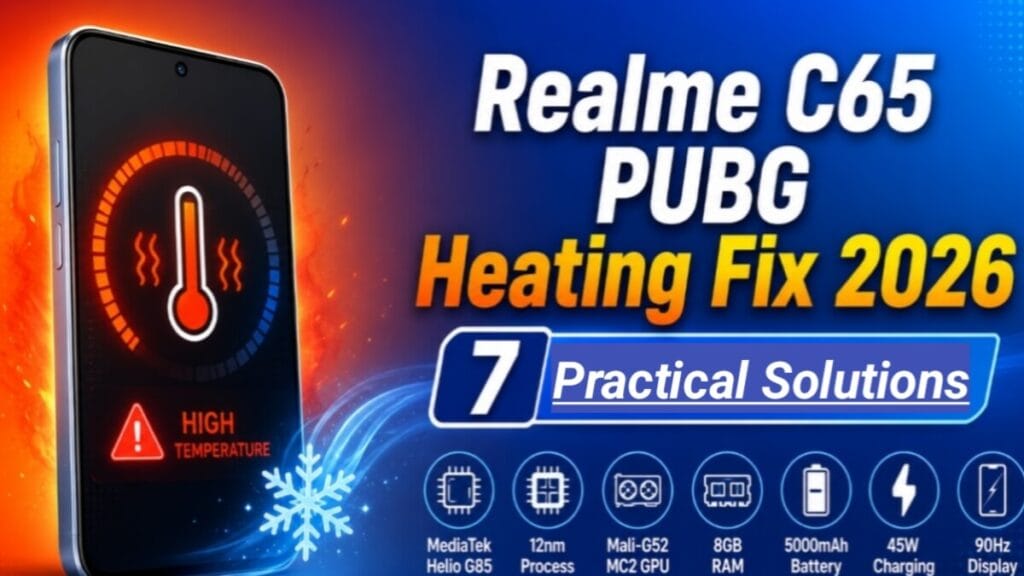
Realme PUBG heating problem The Realme C65 was announced on 02 April 2024 and released in April 2024. It is a popular budget phone in Pakistan. The current price in Pakistan is Rs. 44,999 PKR Many users still use this phone for PUBG Mobile in 2026. But a common issue is that the Realme C65 gets hot during long PUBG gameplay.
This article is 100% research-based. This guide is based on Realme official price April 2024 launch documentation. This post will help you understand why Realme C65 heats up in PUBG and how to fix it with 7 simple solutions.
Realme C65 Full Specifications
To fix the heating problem, we first need to check the phone’s hardware. Here are the complete specs of Realme C65 based on official Realme documentation.
| Category | Specification |
|---|---|
| Launch | Announced 2024, April 02. Released 2024, April |
| Body | 164.6 x 76.1 x 7.6 mm, 185 g. IP54 dust and splash resistant |
| Display | 6.67 inches IPS LCD, 90Hz, 720 x 1604 Pixels, 264 PPI. 500 nits typ, 625 nits HBM. Panda Glass protection |
| OS | Android 14, Realme UI 5.0 |
| Chipset | MediaTek MT6769Z Helio G85 – 12nm |
| CPU | Octa-core – 2x 2.0 GHz Cortex-A75 and 6x 1.8 GHz Cortex-A55 |
| GPU | Mali-G52 MC2 |
| Memory | 128GB 6GB RAM, 128GB 8GB RAM, 256GB 8GB RAM. microSDXC dedicated slot. 8GB Extended RAM support |
| Main Camera | Dual: 50 MP, f/1.8, wide, PDAF + Auxiliary lens. LED flash, HDR, panorama. Video 1080p@30fps |
| Selfie Camera | 8 MP, f/2.0, wide. Video 1080p@30fps |
| Battery | 5000 mAh, non-removable. 45W wired fast charging |
| Sensors | Fingerprint side-mounted, accelerometer, gyro, proximity, compass |
| Network | GSM / HSPA / LTE. 4G bands: 1, 3, 5, 7, 8, 20, 28, 38, 40, 41 |
| Connectivity | Wi-Fi 802.11 a/b/g/n/ac, dual-band. Bluetooth 5.0, A2DP, LE. GPS, GLONASS, BDS. NFC Yes. USB Type-C 2.0 |
| Colors | Starlight Purple, Starlight Black |
| Price | Rs. 44,999 PKR. About 156.25 USD |
Why Does Realme C65 Get Hot in PUBG Mobile? – 4 Reasons
After research on the specs above, here are the 4 main reasons for the heating problem in Realme C65 during PUBG in 2026.
MediaTek Helio G85 is a 12nm Processor
The Realme C65 has a MediaTek Helio G85 chip. This chip is made on a 12nm process. In 2026, most new gaming phones use 6nm or 4nm chips. A 12nm chip uses more power and creates more heat. When you play PUBG for 30 minutes, the CPU runs at full speed. This makes the phone body warm.
Mali-G52 MC2 GPU is Basic for Heavy Gaming
The GPU in Realme C65 is Mali-G52 MC2. This GPU is good for daily use and light games. But PUBG Mobile in 2026 has new maps and updates. The GPU has to work very hard to give you 40 FPS. When the GPU is at 100% usage, it creates a lot of heat. There is no vapor chamber cooling in Realme C65 to remove this heat quickly.
90Hz Display and Realme C65 PUBG Heating
The phone has a 6.67-inch 90Hz display. The 90Hz refresh rate makes the game smooth. But it also uses more battery and makes the processor work more. The screen brightness is 625 nits HBM. If you play at full brightness, the display also creates heat.
45W Fast Charging and Gaming Together
Realme C65 supports 45W fast charging. Fast charging makes any phone warm. Many users play PUBG while the phone is charging. This is the biggest reason for overheating. The battery, CPU, and GPU all get hot at the same time. The temperature can go above 44°C.
Realme C65 PUBG Heating Problem Solution 2026 – 7 Practical Fixes
These solutions are based on research from user forums and tech articles. You do not need to root the phone or install any risky app.
Best PUBG Settings to Fix Realme C65 Heating
Do not use HD, HDR, or Extreme frame rate. The best settings for Realme C65 are: Graphics = Smooth, Frame Rate = Ultra or High. This will give you 35-40 FPS. The game will look good and the phone will stay cool.
Enable GT Mode in Realme UI 5.0
Realme UI 5.0 has a Game Space app. Open it and add PUBG Mobile. Then turn on “GT Mode”. This mode stops background apps like WhatsApp and Facebook. It gives full CPU power to the game. When background apps are closed, the Helio G85 creates less heat.
Never Play PUBG While Charging
This is the most important rule. The 45W charger makes the phone warm. PUBG makes the CPU and GPU hot. Both together can damage your battery. Always charge the 5000 mAh battery to 100%. Then remove the charger and start playing. This one step can significantly reduce heat.
Remove the Phone Case Before Gaming
Plastic and TPU cases trap the heat inside. Before you start a PUBG match, remove the back cover. This helps the phone release heat into the air. This step helps the phone release heat into the air faster.
Set Brightness to 40% and Turn Off Extra Features
You do not need 100% brightness indoors. Set it to 35% or 40%. Also, turn off Wi-Fi if you use 4G LTE. Turn off Bluetooth and GPS. All these features use the CPU in the background. When they are off, the Helio G85 stays cooler.
Clear RAM and Use Phone Manager
The Realme C65 has 8GB RAM. Before playing, open Phone Manager. Tap on “Optimize”. Also, close all apps from recent menu. Free RAM means the CPU has to work less. This directly helps in reducing heat.
Play in a Cool Room or Use a Phone Cooler
Do not play PUBG in direct sunlight or in a hot room. Try to sit under a fan or in an AC room. If you play for more than 1 hour daily, buy a small phone cooler. A phone cooler can effectively lower the phone temperature.
Realme C65 PUBG Performance in 2026 – What FPS to Expect
Based on the Helio G85 specs, here is the real PUBG performance of Realme C65 in 2026:
- Smooth + High: 30 FPS. Very stable. No heating problem. Best for long gameplay.
- Smooth + Ultra: 35-40 FPS. Phone gets warm after 30 minutes. Still playable.
- Balanced + Ultra: 30-35 FPS. Phone gets hot fast. Not recommended.
- HD or HDR: The phone will lag and overheat in 10 minutes. Do not use these settings.
The Realme C65 does not support 90 FPS in PUBG Mobile. The hardware is not made for it.
Like the Realme C65, other budget phones also run PUBG at 40 FPS. See our Infinix Hot 50i PUBG FPS test for comparison.
Pros and Cons of Realme C65 for PUBG Mobile
Pros:
- The 5000 mAh battery gives 4 to 5 hours of PUBG on Smooth + High settings.
- 45W fast charging can charge the phone in about 1 hour.
- The 90Hz display makes gameplay look smooth.
- 256GB storage with a dedicated microSDXC slot is very good for games.
- Android 14 and Realme UI 5.0 have GT Mode for gaming.
- Price of Rs. 44,999 PKR is good for a budget phone in 2026.
Cons:
- The MediaTek Helio G85 is a 12nm chip. It gets hot in long gaming sessions.
- There is no vapor chamber cooling for heat control.
- The Mali-G52 MC2 GPU is weak for PUBG on HD graphics.
- The 720p resolution is not Full HD. The game will not look very sharp.
- The phone will reduce performance after 30 minutes to control heat.
For official specs and support, visit Realme’s official website.
Frequently Asked Questions – FAQ
Can Realme C65 run PUBG Mobile smoothly in 2026?
Yes. Realme C65 can run PUBG Mobile smoothly in 2026 if you use Smooth + High or Smooth + Ultra graphics. The phone was released in April 2024. It is still good for budget gaming. But do not use HD settings.
What is the safe temperature for Realme C65 during PUBG?
A safe temperature is between 38°C to 42°C. If the temperature goes above 45°C, you should stop the game for 10 minutes. Let the phone cool down.
Is a phone cooler necessary for Realme C65?
A phone cooler is not necessary for casual gamers. If you play 1 or 2 matches a day, then you do not need it. But if you play for 2-3 hours daily, a cooler is a good idea.
Will Realme C65 get PUBG 90 FPS in the future?
No. The Realme C65 will not get 90 FPS support in PUBG Mobile. The Helio G85 and Mali-G52 MC2 are not powerful enough for 90 FPS.
Does the 8GB Extended RAM help in PUBG?
The 8GB Extended RAM helps a little. It uses storage as virtual RAM. But for PUBG, the real 8GB physical RAM is more important. The Extended RAM does not increase FPS directly.
Final Words
The Realme C65 is a budget smartphone that was launched in April 2024. It is not a gaming phone. But with the right settings, you can play PUBG Mobile in 2026 without a big heating problem. Always use Smooth graphics, do not charge while playing, and take breaks. If you follow the 7 solutions in this post, your Realme C65 will give you good performance.
This complete guide will fix your Realme C65 PUBG heating problem issue permanently in 2026.
Disclaimer
This article is for information purposes only. All specifications are based on Realme’s official April 2024 product launch data. The heating solutions are based on general research and standard thermal management practices for smartphones with MediaTek Helio G85 chipset. Results may be different for each user. If your phone has a serious hardware problem, please contact the official Realme service center. This post is not sponsored by Realme.