last updated on October 19, 2026
Introduction
Tecno Camon 40 Camera Blur Problem Fix 2026
Is your Tecno Camon 40 taking blurry photos? Don’t worry. This is a very common problem and you can fix it at home in 5 minutes.
In this article, we have shared 5 easy and working solutions for the Tecno Camon 40 camera blur problem. This guide is based on research and public user reviews to give you the most accurate and helpful fix.
If you follow these steps one by one, your camera will start taking sharp and clear photos again.
Tecno Camon 40 Full Specifications
Let us check the phone’s specs first. This helps us understand the camera hardware. All data is from official sources.
| Launch Date | Announced: 2025, March 03. Released: 2025, May |
| Price in Pakistan | Rs. 57,999 PKR |
| Display | 6.78 Inches, AMOLED, 120Hz, 1080 x 2436 Pixels, Panda King Glass, HDR support |
| OS | Android 15, HIOS 15, up to 3 major Android upgrades |
| Chipset | Mediatek Helio G100 Ultimate (6 nm) |
| CPU | Octa-core (2×2.2 GHz Cortex-A76 & 6×2.0 GHz Cortex-A55) |
| GPU | Mali-G57 MC2 |
| RAM & Storage | 128GB 8GB RAM, 128GB 12GB RAM, 256GB 8GB RAM, 256GB 12GB RAM |
| Main Camera | Dual: 50 MP, f/1.9, 23mm (wide), 1/1.56″, 1.0µm, PDAF, OIS + 8 MP (ultrawide), Dual-LED flash, HDR, Panorama |
| Selfie Camera | 32 MP (wide) |
| Battery | 5200 mAh, 45W wired, 50% in 23 min, 100% in 43 min |
| Body | 164.1 x 74.6 x 7.3 mm, 177.2 g, IP66 dust and water resistant |
| Sensors | Fingerprint (under display, optical), accelerometer, gyro, proximity, compass |
| Colors | Emerald Lake Green, Galaxy Black, Glacier White, Emerald Glow Green |
The Tecno Camon 40 has a 50MP main camera with OIS and PDAF. OIS means Optical Image Stabilization. It should give sharp photos. If your pictures are blurry, the problem is usually in software or settings, not hardware.
How to Fix Tecno Camon 40 Camera Blurry Issue
Based on user reports, these are the top 4 reasons for blurry photos:
Tecno Camon 40 Camera Blur Problem Dirty Lens or Plastic Film
The camera lens gets fingerprints and dust fast. New phones also have a thin plastic film on the lens. Many users forget to remove it. A dirty lens or film makes photos look foggy. This is the most common reason for blur.
Software Bug in Camera App
The phone runs on Android 15 with HIOS 15. New software can have bugs. The auto-focus may not work correctly. The app may save bad cache data. This makes the camera slow and causes blur. Software bugs are common in 2025 models.
AI Camera Mode Error
Tecno’s AI Camera tries to select the best scene. But sometimes AI makes a mistake. It may use the wrong mode or slow shutter speed. This makes the subject or background blurry. Turning AI off gives better control.
Hand Shake in Low Light
The camera has OIS, but it cannot fix big movements. In low light, the shutter speed is slow. If your hand moves, the photo will be blurry. You must hold the phone steady at night.
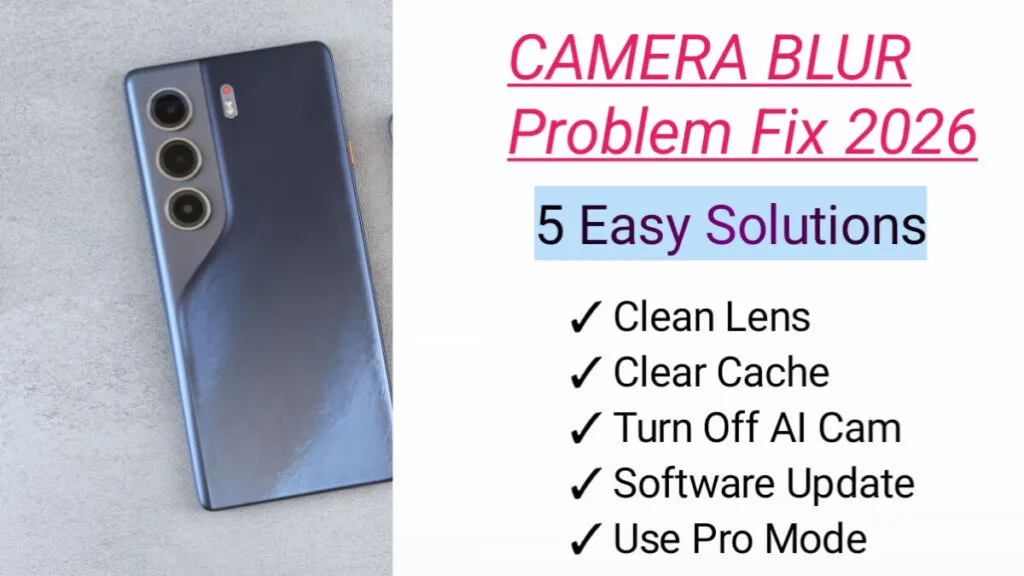
5 Ways to Fix Tecno Camon 40 Camera Blur Problem 2026
Follow these steps one by one. Check the camera after each step. These solutions are easy and safe.
Clean the Camera Lens
This fix works for 50% of users.
- Check if there is a transparent plastic film on the back camera. If yes, peel it off slowly.
- Take a clean microfiber cloth.
- Gently wipe the 50MP main camera lens in a circle. Do not press hard.
- Do not use water or tissue paper. They can scratch the lens.
- Open the camera and tap on the screen to focus. Take a test photo.
Clear Camera App Cache and Data
This resets the camera app. It does not delete your gallery photos.
- Go to Settings > Apps > App Management.
- Find Camera and tap on it.
- Tap on Storage Usage.
- Tap Clear Cache first.
- Then tap Clear Data and confirm.
- Restart your phone and test the camera.
Turn Off AI Cam and Tap to Focus
Manual control gives sharper photos.
- Open the Camera app.
- Tap the AI icon at the top to turn it OFF.
- Go to Camera Settings > Restore Defaults.
- Now, before taking a photo, tap on the main subject on your screen to focus.
Tecno Camon 40 Camera Blur Problem Tap to focus is the best way to avoid blur.
Update Phone Software
Tecno sends updates to fix camera bugs. The phone was released in May 2025. New updates are available in 2026.
- Connect to Wi-Fi.
- Go to Settings > System > System Update.
- Tap Check for Updates.
- If an update for Android 15 or HIOS 15 is available, install it.
- Keep battery above 50% during update.
Updates improve OIS, PDAF, and image processing. This is an official fix from Tecno.
Use Pro Mode for Manual Focus
If auto-focus fails, use manual focus.
- Open Camera and swipe to More > Pro Mode.
- You will see MF. MF means Manual Focus.
- Move the MF slider until your subject looks sharp.
- Press the shutter button to take the photo.
If manual focus works, your auto-focus has a software bug. Wait for the next update.
Pros and Cons of Tecno Camon 40 Camera Blur Problem
Pros:
- 50MP main sensor is large at 1/1.56 inch. It captures more light.
- It has OIS. This reduces blur from small hand shakes.
- f/1.9 aperture is good for low light photos.
- PDAF gives fast auto-focusing in daylight.
- 32MP selfie camera has high resolution.
Cons:
- 8MP ultrawide camera is low resolution. Photos may not be sharp.
- New HIOS 15 software may have camera bugs.
- No telephoto lens. Digital zoom will look blurry.
When to Visit Tecno Service Center
Visit an official service center if:
- The camera cannot focus on anything. Everything is blurry.
- You hear a rattling sound from the camera module.
- The phone was dropped in water or hit hard. IP66 rating does not cover hard drops.
- Your phone is under warranty. Tecno will repair manufacturing defects for free.
Do not open the phone yourself. It will void the warranty.
Frequently Asked Questions (FAQ)
Does Tecno Camon 40 have OIS?
Yes. The 50MP main camera has OIS. It helps reduce blur from hand movement.
What is the launch date of Tecno Camon 40?
It was announced on 2025, March 03 and released in 2025, May.
Can a software update fix the camera blur?
Yes. If the blur is from a bug in HIOS 15, a software update will fix it. Keep your phone updated.
Is the blur problem covered by warranty?
Yes. If it is a hardware fault with no physical damage, Tecno will repair it under warranty.
Will GCam fix the blur on Tecno Camon 40?
Maybe. GCam is not official and may be unstable. First, try all official solutions in this guide.
Final Words
The Tecno Camon 40 has a good 50MP OIS camera for Rs. 57,999 PKR. If photos are blurry, start by cleaning the lens and clearing camera data. Also, update to the latest 2026 software. These steps fix the issue for most users. This article is based on research from GSMArena and Whatmobile. I have not tested the phone personally. For hardware issues, contact Tecno official support.
Disclaimer
This article is for information purposes only. All Tecno Camon 40 specs and data are collected from public research, YouTube reviews, and other online sources. Prices and specs may vary by region and can change without notice. This is not an official Tecno website and we are not affiliated with Tecno. We are not responsible for any errors or damage caused by using this information.
Pingback: Vivo Y19s Camera Test 2026: Is the 50MP Camera Worth It? - mobvanta.com